
Here’s What You Want to Know About Copilot (But Are Too Afraid to Ask)
Do you ever feel overwhelmed with Microsoft Copilot?
With the different plans, a free version and the ability to create your own agents, it can be a lot to digest, especially if you’re just now starting to wade into the world of AI.
Because there’s so much information out there, you may be intimidated to ask even the simplest of questions.
Let’s talk about some of the basic things you want to know about Copilot — including where to access it, what “grounded” means and what the green shield signifies — but are too afraid to ask.
How Do I Get to Copilot?
Whether you have a paid Microsoft 365 Copilot Business license or the free Microsoft 365 Copilot Chat that comes with any Microsoft 365 Business license, it’s easy to find.
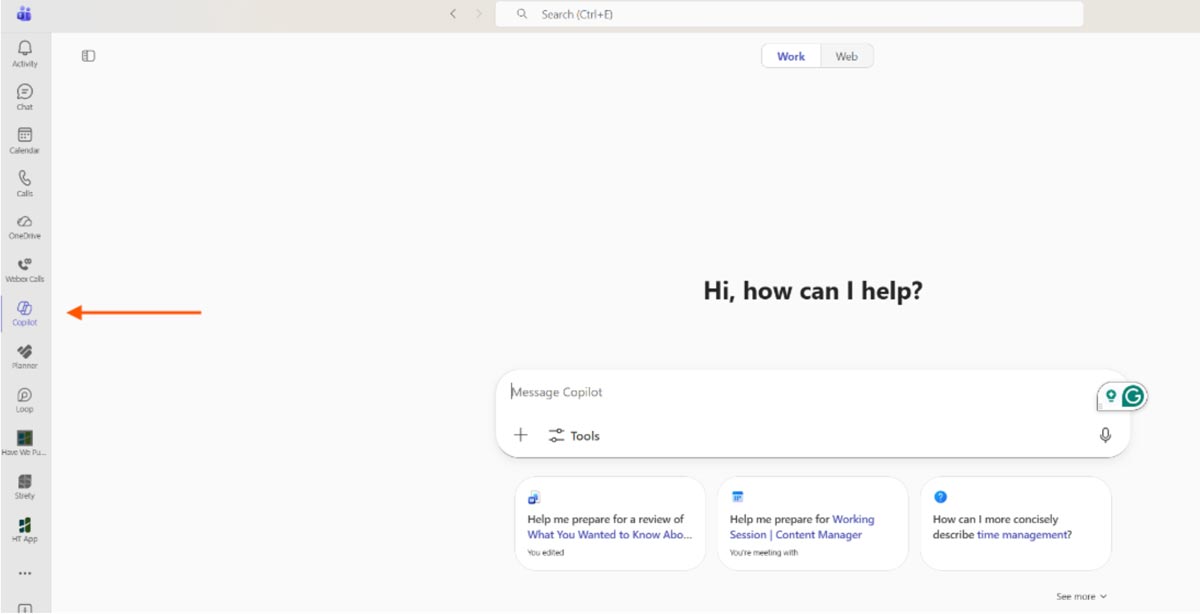
Teams
Look for the Copilot app in the toolbar on the left side of the window. If you don’t see it, select the three horizontal dots, search for it and pin it to your toolbar by right-clicking on the Copilot icon.
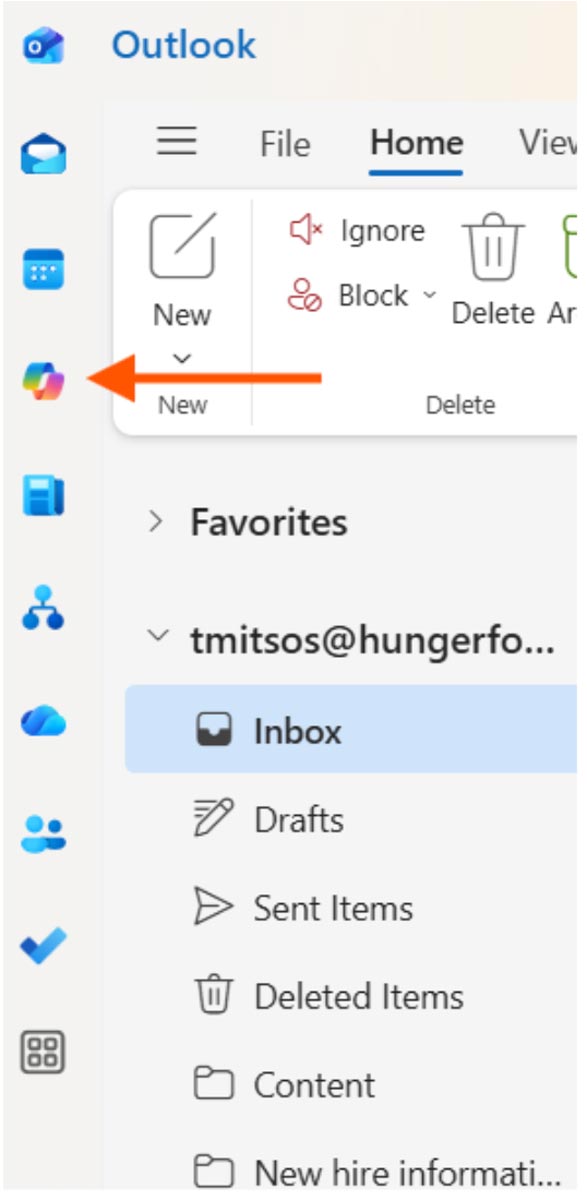
Outlook
Look for the Copilot app in the toolbar on the left side of the window. If you don’t see it, select the “More apps” icon, search for it and pin it to your toolbar by right-clicking on the Copilot icon.
Microsoft 365 Copilot App
There’s a dedicated desktop app available in the Microsoft Store. To find the store, click the Windows icon on your desktop and search for “Microsoft Store.”
Browser
You also can use Copilot in any web browser. Simply navigate to m365.cloud.microsoft.
Bing
When you navigate to Bing’s home page, you will find a Copilot icon to the right of the search bar. This link takes you to m365.cloud.microsoft.

Office Apps
Every Office app (Word, Excel, PowerPoint, Outlook and OneNote) has a dedicated Copilot button in the ribbon at the top of the screen.
Clicking this button will open a side panel, where you can summarize documents, analyze data or draft email responses.

What is Work- vs. Web-grounded Data?
Copilot will function slightly differently depending on what version you have.
Microsoft 365 Copilot Business is grounded in both work and web data, whereas Copilot Chat is grounded only in web data.
- Work data: Copilot has access to your SharePoint and OneDrive files, as well as emails and Teams chats.
- Web data: Copilot has access to the internet.
With Copilot Chat, Copilot can access the document/spreadsheet/presentation you are currently working on, or you can upload files individually for Copilot to reference. Still, it does not have automatic access to all your files, unlike Copilot Business.
What is the Green Shield?
You may have noticed a green shield next to the new chat button when you use Copilot. This shield signifies that enterprise data protection is on.
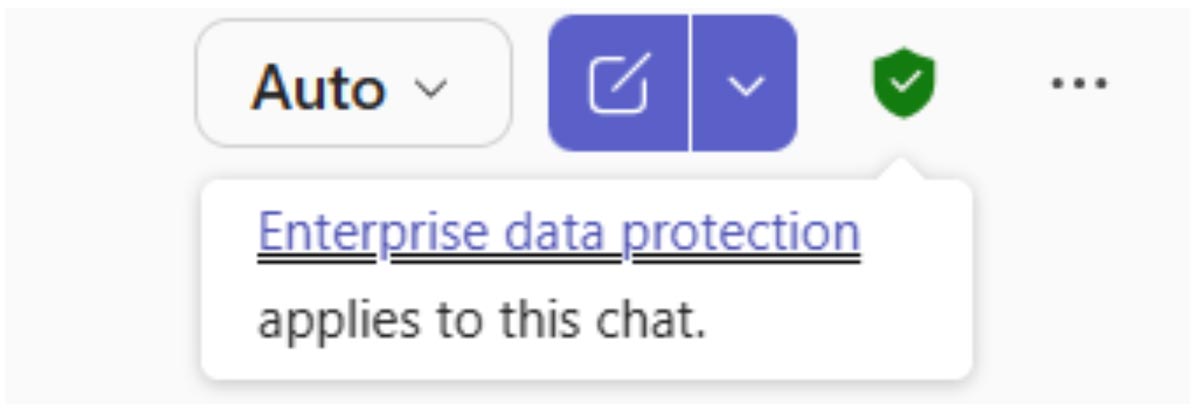
Simply put, enterprise data protection means your data is secure, private and not used to train the AI model. It’s Microsoft’s way of saying, “If you trust us with your email, you can trust us with Copilot prompts.”
It is safe to share your organization’s proprietary information. However, even with enterprise data protection, you should still avoid using personally identifiable information in prompts, such as medical records, Social Security numbers and addresses.
Increase Productivity and Efficiency with Copilot
Have you tried Copilot Chat and want to dive into a full Copilot license?
If your organization wants to learn more about safe Copilot usage, contact us to schedule a consultation. We’ll show you how it can streamline your workflow and increase productivity while keeping your data secure.
Stay updated! Get tips and insights delivered to your inbox weekly by subscribing to our newsletter.