
Copilot Hack: Scheduled Prompts Act as Your Helpful Assistant
Imagine having an assistant sort through all your unread emails, rank them from most important to least important and draft an initial reply. Sounds like a dream come true, right?
Hidden within Microsoft 365 Copilot is a neat feature called Scheduled Prompts, which automatically creates summaries, action lists, and drafts without you having to prompt it.
What else can Scheduled Prompts do?
We’ll first explain how to set up Scheduled Prompts, then we’ll provide some real-world examples of prompts you can use to make your day more efficient.
It should be noted you will need a Microsoft 365 Copilot Business license to use Scheduled Prompts to access your emails, Teams messages and other work data.
How to Set Up Scheduled Prompts
First, open the Copilot app. You can do this through the side panel in Teams or Outlook, use the Copilot app in Windows or navigate to the Copilot website.
- Type your prompt.
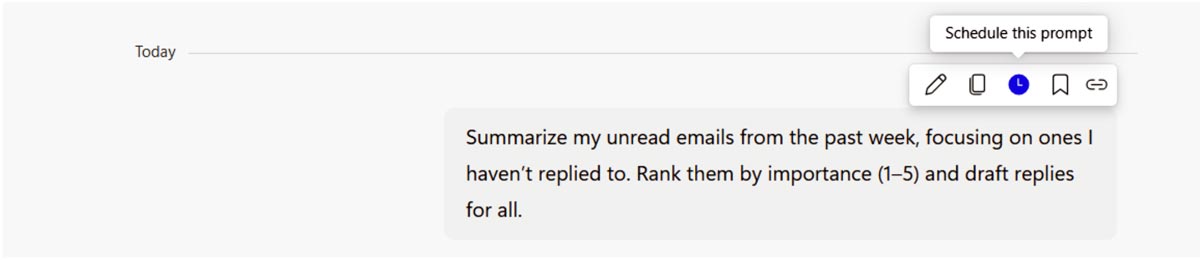
- Once you submit your prompt, hover the cursor over your prompt and select “Schedule this prompt.” It’s the analog clock icon.
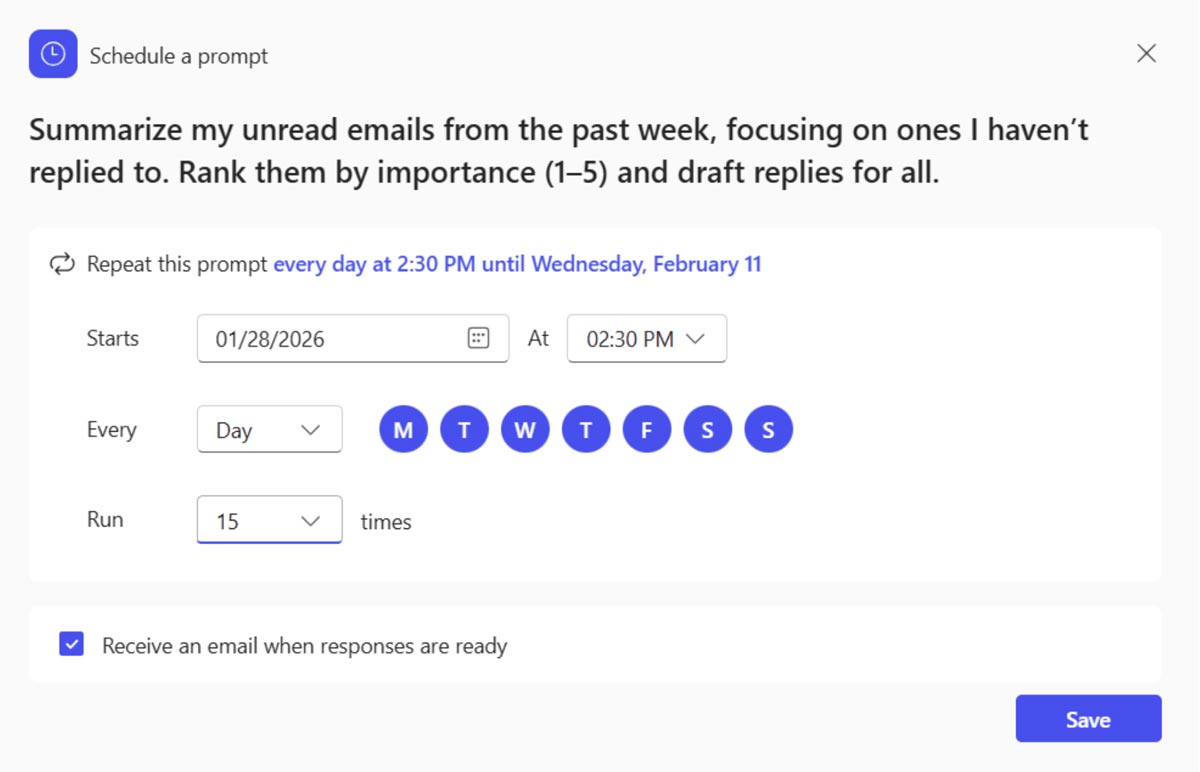
- You’ll see a pop-up box with several options:
- Choose the start date and time.
- Choose the frequency (daily, weekly, monthly).
- Choose how many times this prompt will run.
- Check the dialog box if you wish to receive an email each time the prompt is ready.
Once you’ve saved your prompt, you can manage it at any time by selecting the three horizontal dots in the upper-right corner and selecting “Scheduled prompts.” You can run it right away, edit the schedule, turn it off or delete it.
How Do I Find My Prompts?
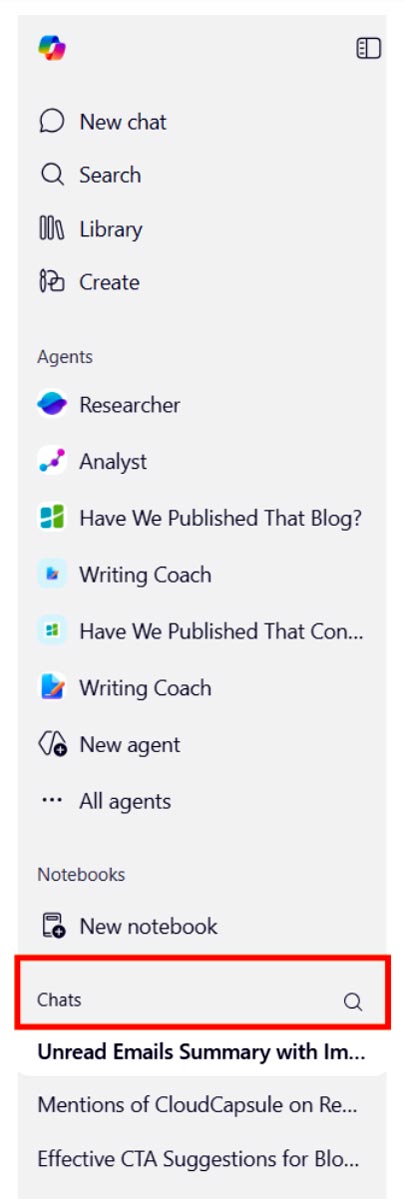
Prompts will show up in the “Chats” section in the left sidebar when you are in Copilot. Additionally, if you select the option to receive an email when prompts are ready, you’ll get a link that takes you directly to the chat.
Real-world Example 1: Summarize Emails
Here’s a prompt you could use weekly or even daily if you get enough emails:
“Summarize my unread emails from the past week, focusing on ones I haven’t replied to. Rank them by importance (1–5) and draft replies for all.”
What does it accomplish?
It’s a quick and easy way to digest your unread emails, allowing you to answer the most important ones first.
When we tested it, the replies weren’t perfect, but it’s still a good first draft. Of course, you can tweak the reply to your liking or not even reply at all (some of the emails Copilot found didn’t warrant a reply).
The goal is to get you to focus less on emails and more on other important tasks.
Real-world Example 2: Find Action Items
Every week, get a list of to-dos you need to accomplish:
“Search my meeting recaps, emails and Teams messages over the last week for action items and to-dos I need to complete. Be sure to mention due dates, if applicable.
What does it accomplish?
With so many ways to communicate, sometimes tasks get lost in the shuffle. This gives you a quick rundown of what you might need to do without wasting time finding that one email or message.
Of course, Copilot has no way of knowing which tasks are completed, so you’ll probably get things you already took care of. But it’s fairly good at combing through your messages and meetings to find action items.
Is Your Organization Ready for Copilot?
Automation is what makes Scheduled Prompts so powerful. It does the hard work for you.
If you think your company has the capabilities to adopt Copilot, contact us to schedule a consultation. We’ll send you the assessment and provide recommendations to help ensure your Copilot adoption runs smoothly.
Stay updated! Get tips and insights delivered to your inbox weekly by subscribing to our newsletter.