
What Microsoft’s New Business Plan Features Actually Do
Microsoft’s Business plan update adds three new features: URL time-of-click protection, Copilot Chat enhancements, and Copilot Chat Analytics.
Some are genuinely useful. Others are nice to have. Here’s how we’d rank them.
1.) URL time-of-click protection (Most valuable)
This is the feature that matters.
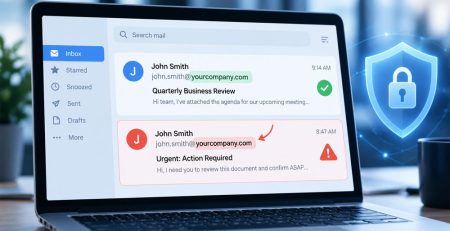
Normally, your email security checks links when a message arrives. If the destination looks safe at that moment, the email is delivered.
The problem is that attackers don’t have to leave the destination alone.
A link can be perfectly safe on Monday, pass every email filter, then quietly start pointing to a fake Microsoft 365 sign-in page on Wednesday. The email never changes. Only the destination does.
URL time-of-click protection checks the link again when someone actually clicks it. If the destination has become malicious since the email was delivered, Microsoft blocks it before the browser opens.
Think of it as moving the security check from when the email arrives to when the risk actually exists.
It’s a meaningful improvement for Business Basic and Business Standard users.
It’s also important to understand what it doesn’t do. It doesn’t replace user awareness training, phishing awareness, or the broader security capabilities included with Business Premium. It simply closes one security gap that has existed for years.
2.) Copilot Chat enhancements (Useful, but know the limits)
The included version of Microsoft Copilot Chat is becoming more capable.
Instead of only answering general questions using public information, it can now use context from your mailbox and calendar and help create Word documents, Excel spreadsheets, and PowerPoint presentations.
That’s useful.
What it isn’t is Microsoft 365 Copilot Business.
The paid Copilot add-on goes much further. It works throughout the Microsoft 365 apps, has deeper access to your work content, and includes capabilities that aren’t available in the included version. For most small and midsize businesses, it costs about $23 per user per month.
If you’re already on Business Basic or Business Standard, you’ll simply wake up one day with better protection and a more capable AI assistant than you had before. That’s a worthwhile update, even if it isn’t a dramatic one.
That’s why Microsoft’s product demonstrations can sometimes create unrealistic expectations. Many of the features people see online or in keynote presentations are demonstrations of the paid Copilot experience, not the version included with every Microsoft 365 Business subscription.
The included Copilot Chat is worth trying. Just don’t expect it to do everything Microsoft’s paid AI offering can do.
One final note: Microsoft renames, repackages, and expands its Copilot offerings frequently. Consider this a snapshot of today’s lineup rather than something that will stay exactly the same.
3.) Copilot Chat Analytics (Mostly for IT)
Most employees will never see this.
Copilot Chat Analytics is an administrative dashboard that shows how people across the organization are using Copilot Chat.
For most businesses, it isn’t something you’ll look at regularly.
Where it becomes useful is when you’re trying to answer questions like:
- Are employees actually using the AI tools we already have?
- Is adoption increasing over time?
- Would investing in Microsoft 365 Copilot Business provide enough value to justify the cost?
It’s a management tool, not a productivity feature.
Our take
Of the three additions, URL time-of-click protection is the clear winner.
The Copilot improvements are welcome and make the included AI assistant more useful than it was before. Just remember that Microsoft’s included Copilot Chat and Microsoft 365 Copilot Business are different products built for different levels of use.
If you’re already on Business Basic or Business Standard, you’ll simply wake up one day with better protection and a more capable AI assistant than you had before. That’s a worthwhile update, even if it isn’t a dramatic one.
Stay updated! Get tips and insights delivered to your inbox weekly by subscribing to our newsletter.
Want to know more about Microsoft’s New Business Plan Features
We can help you understand which new features are included in your Microsoft 365 plan, how they affect your security, and whether additional Copilot or security tools would provide meaningful value.