
Microsoft Quarantine Notice: How to Review Your Email
A Microsoft quarantine notice means Microsoft 365 has held one or more emails that may be unwanted or unsafe. Give the sender names and subject lines a quick scan for messages you were expecting. You don’t need to investigate every held email or clear out quarantine.
If something you need appears on the list, open Microsoft’s quarantine page directly and review it before deciding whether to request or release it.
Why did I receive a Microsoft quarantine notice?
Microsoft has held an email because its security checks identified a potential concern. Receiving the notice doesn’t, by itself, mean you did anything wrong or that your account was hacked.
Think of quarantine as a holding area. Most messages there can stay there, but occasionally a legitimate email gets caught too.

Do I need to review every quarantined message?
No. Look for something you were expecting, such as a quote from a vendor or a document from a customer.
If everything listed is unwanted advertising or obvious junk, you can delete the notice. Deleting the notification doesn’t release the held messages. You can leave unwanted emails in quarantine to expire.
How can I tell whether a Microsoft quarantine notice is legitimate?
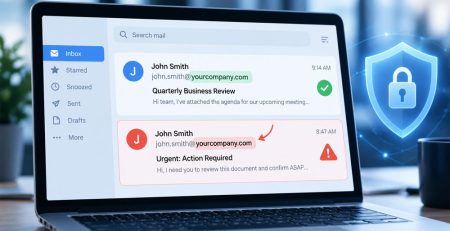
Microsoft’s default notification sender is quarantine@messaging.microsoft.com, although organizations can customize the sender address. A familiar address or a subject line mentioning quarantined messages doesn’t prove an email is genuine.
The safest approach is to bookmark Microsoft’s quarantine page and check there directly instead of relying on links in notification emails. Sign in with your work account.
How do I decide whether a quarantined email should be released?
Ask whether the message makes sense. Were you expecting that invoice, file or request? Recognizing the sender’s name alone isn’t enough.
Select the message in quarantine to review its details. Use Preview message, if available, to read it before deciding. If something seems unusual, confirm with the sender using a phone number or another contact method you already trust.
If you’re unsure, leave the message in quarantine and ask Hungerford support to review it. You don’t need to release a questionable message just to ask for help.
The retention period depends on why the message was quarantined and your organization’s settings. Check the expiration date shown in quarantine rather than assuming you have 30 days.
How do I release a quarantined email I need?
Once you’re confident the message is legitimate, select it in Microsoft 365 quarantine. Your available actions depend on your organization’s security settings and why the message was held:
- Release: Sends the message to your mailbox. Follow the prompts to confirm.
- Request release: Asks an administrator to review the message. This doesn’t deliver it immediately.
- Neither option available: Contact Hungerford support for help.
Releasing an email doesn’t make its contents safe. Continue to use caution with links, attachments and requests for sensitive information.
For additional instructions, see Microsoft’s guide to managing quarantined messages.
What should I do if an expected email hasn’t arrived?
Check your Junk Email folder and quarantine. Notifications arrive on a schedule set by your organization, so you don’t need to wait for the next notice to check.
If you still can’t find the email, contact Hungerford support with:
- The sender’s email address.
- The approximate date and time it was sent.
- The subject line, if known.
Some quarantined messages are only visible to administrators. If legitimate emails from the same sender keep getting caught, let us know so we can investigate.
How long do messages stay in Microsoft quarantine?
The retention period depends on why the message was quarantined and your organization’s settings. Check the expiration date shown in quarantine rather than assuming you have 30 days.
After expiration, Microsoft permanently deletes the message, and it can’t be recovered from quarantine. Simply reviewing it doesn’t extend the deadline.
You can leave unwanted messages alone to expire. If you need a message, release it or ask for help before its expiration date.
Stay updated! Get tips and insights delivered to your inbox weekly by subscribing to our newsletter.
Want to know more about Microsoft Email Quarantine?
If you’re unsure whether an email belongs in quarantine or an expected message hasn’t arrived, Hungerford can help you decide what to do next. Leave questionable messages in quarantine and contact our support team with the sender’s address, subject line and approximate send time.