
Your Password Manager Had a Breach. Should You Switch?
A password manager your business uses just announced a security breach. Should you switch? Start by finding out what was exposed, which accounts were affected, and what your IT team needs to do now. Once you understand your exposure, decide whether the provider’s safeguards and response give you enough confidence to keep using it.
Think about standing in the checkout line at the grocery store. The line next to you starts moving faster, so you switch. Then your original line starts moving. You can spend the whole time changing lines and still get out at the same time. A security headline can prompt the same kind of reaction. Before you move, find out what switching would solve for your business.
What Should You Do After a Password Manager Breach?
Start with the provider’s latest security advisory and bring it to whoever manages your company’s password manager. Ask them to confirm whether your plan, accounts, and integrations were affected. If the investigation is ongoing, assign someone to follow updates. The first advisory may leave questions that a later update answers.
From there, have your IT team work through three questions:
- What did the attacker obtain? Look for specifics about account information, encrypted vault backups, or credentials and keys that could provide access to other systems.
- How was your account configured? Check how employees sign in, which protections were in place at the time, and whether the advisory calls out any integrations your business uses.
- What needs to change now? Follow the guidance for your setup. If stored credentials may have been exposed, prioritize the ones that would cause the most damage if misused. That may include administrator accounts, email accounts, remote access, and any API keys or other secrets stored in the vault.
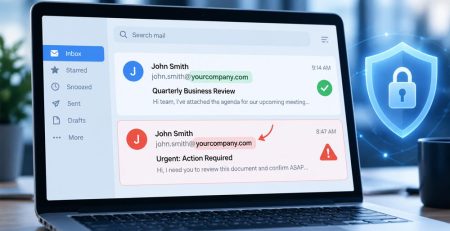
Give employees clear instructions about what to change and who to contact if they receive a suspicious message. If email addresses or other account details were exposed, an attacker could use that information to make a phishing email look like a legitimate breach notification. Direct employees to your usual IT support channel and the provider’s official advisory.
What Did the Breach Actually Expose?
An incident can expose customer contact information, an encrypted copy of a password vault, or information that helps an attacker unlock it. Those details change what your team needs to do. Exposed email addresses can help an attacker target employees with phishing. A stolen encrypted vault raises questions about how it was protected and which credentials you should change based on the risk.
Consider switching if the provider leaves a significant security issue unresolved, gives your IT team too little information to assess your exposure, or lacks controls your business needs. Staying may make sense when you can verify which accounts were affected, take the recommended steps, and confirm that the provider addressed the underlying issue.
Your company’s setup matters here. Some business password managers let employees sign in through the company’s identity provider. With certain federated login designs, the information needed to unlock a vault is stored in separate pieces. To assess what that protection meant during a breach, your IT team needs to know which pieces the attacker obtained and how your accounts were configured.
LastPass’s 2022 breach is a useful example. In December 2022, LastPass reported that an attacker copied customer vault backups containing encrypted passwords and some unencrypted information, including website URLs. In March 2023, LastPass reported that the attacker also obtained a database backup containing one of the key fragments used for federated login, along with the key needed to decrypt that database backup. LastPass issued updated guidance for business administrators covering both federated and non-federated accounts.
If your team read the December notice and made a decision based on it, the March update gave you a reason to revisit that decision. The same applies to any provider. Use the latest findings to assess your own accounts and confirm which actions still need to be taken.
When Should You Switch Password Managers?
Consider switching if the provider leaves a significant security issue unresolved, gives your IT team too little information to assess your exposure, or lacks controls your business needs. Staying may make sense when you can verify which accounts were affected, take the recommended steps, and confirm that the provider addressed the underlying issue.
Look at how the provider handled the incident from the customer’s side. How quickly did it communicate information your team could act on? Did it explain who was affected and update that guidance as it learned more? Can it explain what it changed to reduce the chance of a similar incident? The answers help you judge whether you can rely on the provider when something goes wrong.
If you decide to move, give someone ownership of the migration. They’ll need to account for shared vaults, check who has access to each one, and confirm employees can reach the credentials they need before the old service is retired. If a credential may have been exposed, change it in the system where it’s used. Copying it into a new vault leaves the old credential valid. For accounts with elevated permissions, it’s also worth reviewing who needs ongoing access. How Hungerford approaches privileged access and password rotation.
What Should You Look for in a Business Password Manager?
Hungerford supports LastPass. When we evaluate a business password manager, we look at how it fits the way the company manages employees, devices, and access.
Think through an ordinary situation, like an employee leaving the company. Can IT remove their access promptly? Can the next person take over the shared accounts they need? Can an administrator see which credentials the departing employee could access and decide what needs to change? Those questions give you a practical way to evaluate the product you already use and any replacement you’re considering.
A breach announcement should prompt an immediate review. If that review shows you need to switch, you’ll know what the next provider needs to do better. If you stay, you’ll have a specific reason for trusting the controls in place and a record of the steps your team took to protect the business.
Stay updated! Get tips and insights delivered to your inbox weekly by subscribing to our newsletter.
FAQs About Password Manager Breaches
Does changing my master password protect a stolen vault backup?
Changing your master password protects the vault going forward. A copy an attacker already obtained retains the protection it had when it was stolen. If the stored credentials may be at risk, work with IT to prioritize changing them in the services where they’re used.
Which stored passwords should our IT team change first?
Start with accounts that would give an attacker the most access or cause the most disruption. Depending on what was exposed, that could include administrator accounts, email, and remote access. Include any exposed API keys, private keys, or other secrets your team kept in the vault.
Does single sign-on change our exposure after a breach?
It can. The answer depends on how the provider uses your company’s identity system and how it protects the information needed to unlock the vault. Have your IT team check the provider’s guidance for your specific configuration.
Does switching password managers protect credentials that were already exposed?
Any exposed credential needs to be changed or revoked in the service that accepts it. If you’re also migrating, track those changes alongside the move so your team knows which credentials have been replaced.
Want to know more about Securing Your Business Passwords?
If you’re reviewing your password manager after an incident or looking for a better way to manage shared credentials, Hungerford Technology can help you assess your setup and decide what needs to change.