
Do you really need 24/7 IT support?
The phrase “24/7 support” appears on a lot of managed IT provider websites.
The challenge is that it can describe several very different services.
None of them are inherently better or worse. They simply solve different problems.
The important thing is understanding which one you’re actually buying.
1.) A True 24/7 Help Desk
This is what many buyers picture.
It’s 2:00 a.m. You call. A technician answers, already has access to your environment and immediately begins working the problem.
This type of coverage is surprisingly rare among regional managed service providers.
The reason is simple economics.
Keeping a knowledgeable help desk staffed around the clock requires a large team, even though overnight call volume for most small and midsize businesses is typically very low.
Larger national providers can sometimes make this work through scale, but that often comes with tradeoffs. The technician helping you may be seeing your environment for the first time and following standardized procedures rather than bringing the familiarity that comes from supporting your team every day.
For some organizations, that’s exactly the right model.
For others, it isn’t.
2.) 24/7 Answering
Someone always answers the phone.
That person may take a message, determine whether the issue is an emergency and contact the on-call engineer.
This is valuable because you’re never left wondering whether your request was received.
It isn’t the same as someone immediately beginning technical work.
3.) 24/7 Live Technical Support
Some providers outsource overnight support to a larger help desk that is staffed around the clock.
In this model, someone can begin troubleshooting immediately.
The tradeoff is that the technician is often part of a shared support organization and may know very little about your business beyond what’s documented.
That may be perfectly appropriate for your organization.
The important thing is understanding that’s the service you’re buying.
If you have employees working overnight or operations that truly depend on immediate support at any hour, then a fully staffed 24/7 help desk may be exactly what you need.
4.) 24/7 Monitoring
This one causes a lot of confusion.
When many providers advertise 24/7 monitoring, they’re referring to automated systems that watch servers, backups, internet connections and other infrastructure.
Those systems generate alerts around the clock.
That’s valuable.
But it’s different from having a technician actively watching your environment overnight.
Monitoring means the software detected something.
Someone still has to respond.
5.) 24/7 Security Operations
This is different again.
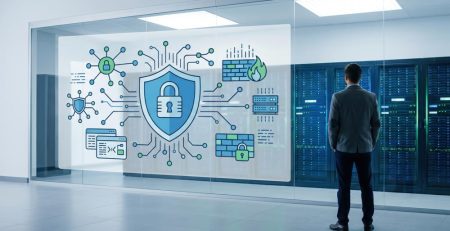
A Security Operations Center (SOC) combines monitoring with trained security analysts who investigate suspicious activity and respond to genuine threats around the clock.
Unlike automated monitoring, there are real people evaluating alerts and taking action.
For most small and midsize businesses, this is the one area where genuine 24/7 human coverage has become both practical and valuable.
Cyberattacks don’t keep business hours.
Which One Do You Actually Need?
In our experience, most small and midsize businesses don’t actually need full 24/7 help desk coverage.
That doesn’t mean it’s never appropriate.
If you have employees working overnight or operations that truly depend on immediate support at any hour, then a fully staffed 24/7 help desk may be exactly what you need.
It’s important to understand that this level of coverage typically comes with tradeoffs.
You may be working with a larger national provider that can support the staffing requirements, often at a higher cost. Or you may be relying on outsourced support where the technician helping you has limited familiarity with your systems and processes.
In some cases, you’re effectively checking the “24/7” box without getting the same level of continuity or context you experience during normal business hours.
If your office closes every evening, your priorities may be different. You may care less about resetting a forgotten password at 1:00 a.m. and much more about making sure a ransomware attack or major outage doesn’t sit unnoticed until Monday morning.
Those are different problems requiring different kinds of coverage.
How We Approach It
Our after-hours support is built around emergency response, not a fully staffed overnight help desk.
We contractually provide on-call coverage from 6:00 a.m. to 11:00 p.m., including weekends and holidays, because that timeframe aligns with when our clients most commonly need after-hours support.

That doesn’t mean nobody wants to help outside those hours. If a client has a genuine emergency in the middle of the night, everyone on our team wants to be the person who gets them back up and running.
It simply means we only make contractual commitments we know we can consistently deliver.
For cybersecurity, our approach is different.
Security incidents are monitored and responded to 24 hours a day through a dedicated Security Operations Center. Those analysts are empowered to investigate suspicious activity and contain threats immediately, even if that means locking down an account until your business is available to make the next decision.
The Better Question
Instead of asking an IT provider whether they offer 24/7 support, ask them what those words actually mean.
- If I call at 2:00 a.m., who answers?
- Who actually starts working on the problem?
- Is that person part of your company or a third party?
The answers to those questions will tell you much more than the phrase “24/7 support” ever will.
Know What You’re Buying
“24/7 support” isn’t a standard definition. It’s a conversation. If you’re reviewing your current IT provider or comparing new ones, ask what those words actually mean. We’d be happy to walk through how we approach after-hours support and help you compare it to any other provider you’re considering.
Stay updated! Get tips and insights delivered to your inbox weekly by subscribing to our newsletter.
Want to know more about Managed IT Support?
Learn how Managed IT Support can help your organization reduce downtime, strengthen security, support employees, and make smarter technology decisions with a local team you can rely on.