
From Firewalls to Entra: How Remote Work Changed Network Security Forever
Remember when everyone worked in the office?
Security was simple, as an enterprise-grade firewall protected every employee.
The mantra: Keep everyone else out.
But as remote work became increasingly popular, technology changed. Suddenly, organizations needed to let their employees past the firewall while still keeping everyone else out.
VPNs and cloud apps addressed some issues, but each solution came with its own set of security concerns.
Today, Microsoft offers a tool that provides remote workers with similar protections to those in the office.
So, how did we get here?
Let’s take a brief look at the history of network security.
1.) The Good Old Days
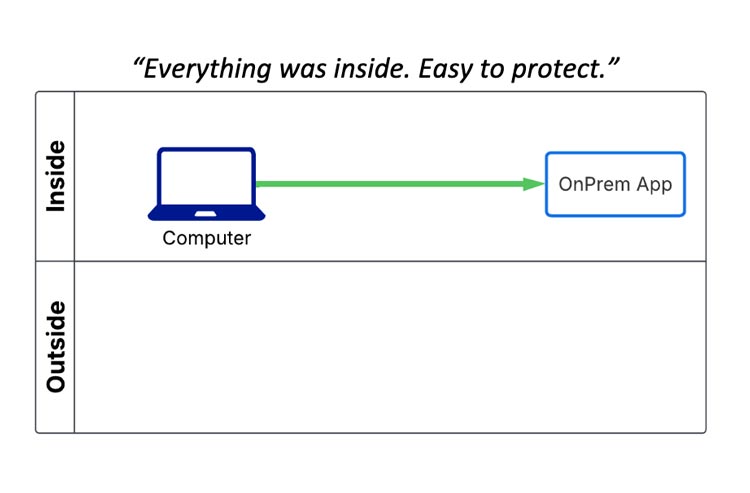
Back in the day, everyone worked in the office — no hybrid or remote work environment.
Which meant your organization’s firewall always protected your computers.
The firewall also protected your organization’s on-premises server, allowing you to access your applications securely.
However, once people began working remotely, security became more complicated.
2.) Old Problem: Remote Access
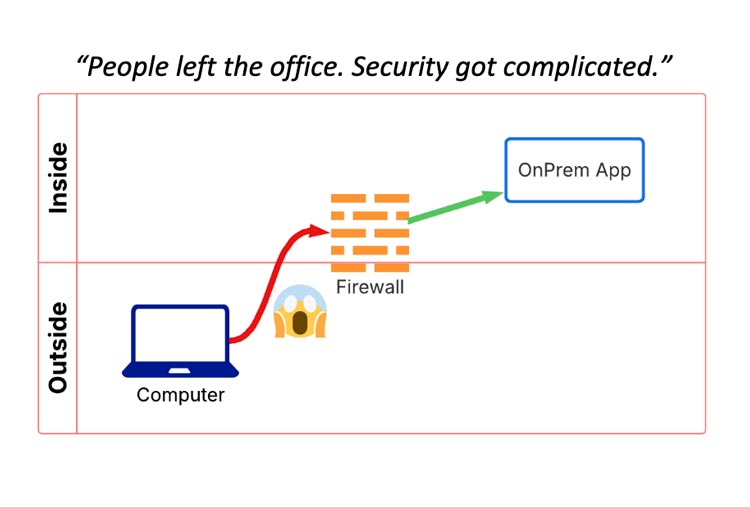
People wanted to access these on-premises apps outside the office.
To get to these systems, employees had to “poke a hole” through the firewall.
The only problem: It’s risky and often mismanaged.
As soon as you start opening holes for employees, it’s only a matter of time before attackers use those same holes to cause damage.
So, what was the solution?
3.) Old Solution: VPN
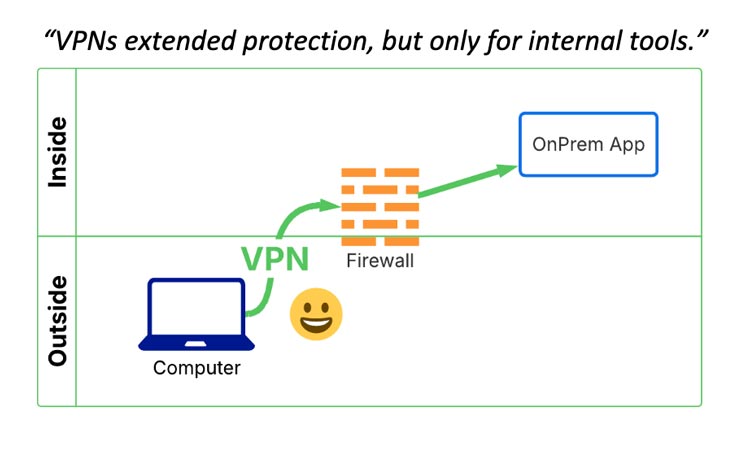
VPNs became the standard fix to solve this issue.
They allow remote employees to connect to organizational servers as if they were still in the office.
It was much safer than “poking a hole,” but VPNs can be slow and only help you access internal tools. They don’t block malicious or inappropriate websites.
The popularity of cloud apps added another security wrinkle.
Remote employees can be just as protected as office workers. If you have employees who spend most of their time outside of the office, we can discuss ways to keep your data safe.
4.) Microsoft 365 (Cloud Access)
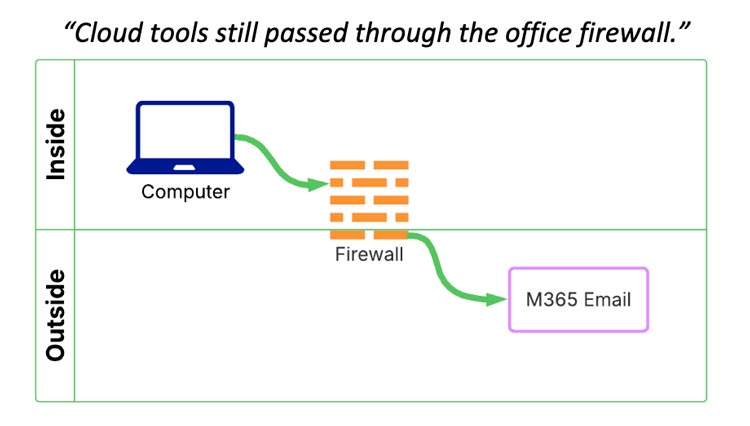
Cloud apps like Microsoft 365 store data in the cloud rather than your on-premises server.
Which means employees only need an internet connection to access these apps.
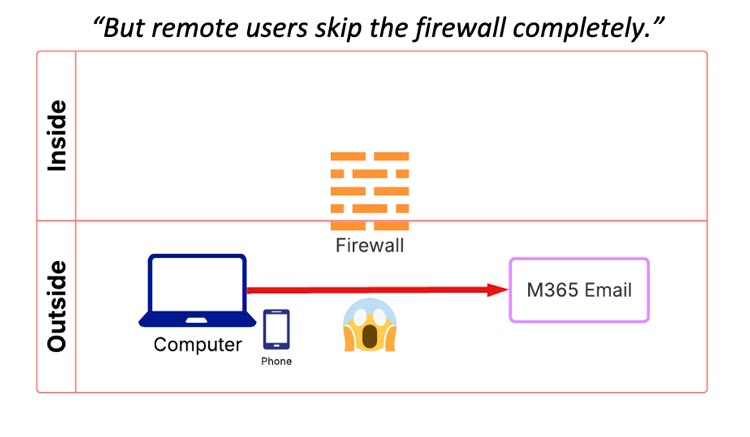
It didn’t affect people in the office because the organization’s firewall still protected them.
But remote users skipped that security.
5.) New Problem: Skip the Corporate Network
Remote users suddenly had access to all this company data with no safeguards in place.
Even with password protection, home or hotel Wi-Fi networks aren’t as secure as office networks.
No firewall meant no web filtering and no control over what sites employees can visit.
6.) New Solution: Secure Web Gateway with Entra
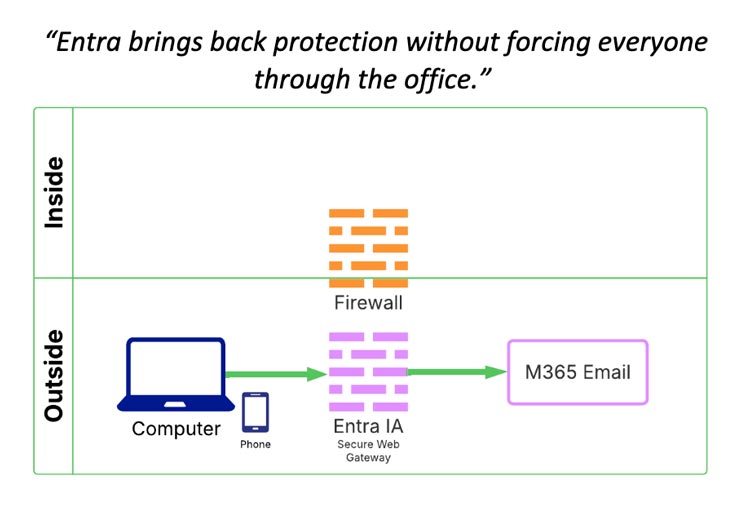
This is where Microsoft Entra Internet Access comes in.
Entra provides remote employees a secure path to access the internet or cloud applications.
Organizations regained control: Entra can block categories of websites just like a firewall. It can even block internet access until it is enabled.
It’s like giving remote employees the same kind of protection they’d have in the office.
Protect Your Data with Entra Internet Access
Remote employees can be just as protected as office workers. If you have employees who spend most of their time outside of the office, we can discuss ways to keep your data safe.
Don’t wait until a data breach or cyberattack to improve your organization’s security posture. Contact us today to schedule a consultation, and let’s secure your business before the next threat hits.
Stay updated! Get tips and insights delivered to your inbox weekly by subscribing to our newsletter.