What is Infostealer Malware?
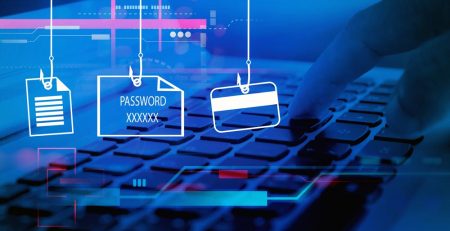
Have you ever wondered how private information — passwords, credit card numbers, Social Security numbers — gets stolen in phishing attacks?
Infostealer malware, as the name suggests, is designed to steal private information.
Sometimes it’s as simple as an attacker redirecting you to a fake login page, where you unknowingly type in your credentials, which are then sent to the attacker. But there are dozens of other ways this happens that are even stealthier and harder to detect.
Not all malware is designed to break your device, and it’s important to understand an infected computer doesn’t have to show signs of distress to be infected.
Let’s discuss what infostealer malware is, how it works and how your device might get infected.
Infostealer Malware Lurks in the Dark
Unlike other malware that infects your computer to slow it down or make it unusable, infostealer malware is more about quietly hiding in the background.
That’s what makes it so dangerous. It hides in the depths of your device and methodically steals sensitive information while you carry on as if everything is fine.
Other malware doesn’t try to hide. Programs stop working, you get tons of error messages — you know something is not right.
Infostealer also is designed to cover its tracks and find other targets on a network, always maintaining a presence to carry out more attacks.
Infostealer malware can be quickly installed on your device by clicking a link or opening an attachment. Technology alone can’t stop these attacks; awareness is just as important. Don’t wait until someone at your organization falls victim to implement phishing training.
How Does Infostealer Malware Work?
Infostealer often enters devices through phishing emails, malicious attachments or compromised websites.
Once installed, they can work in several ways:
- Keylogging: Keylogging involves recording the keystrokes you make. Attackers use these keystrokes to filter out passwords, credit card numbers and other personal information.
- Screen capturing: The malware can automatically capture screenshots of financial or personal information while you’re viewing it.
- Form grabbing: The data from any form filled out can be captured, whether it’s login credentials or payment information.
- Clipboard hijacking: The malware can view and modify the text you copy. It can even steal usernames and passwords that are auto-filled by browsers or password managers.
Still, there are even more technical ones that steal your browser’s cookies and cache to mimic your online session, and others that inject code into the browser itself to intercept data.
Learn to Spot Phishing Attacks
Infostealer malware can be quickly installed on your device by clicking a link or opening an attachment. Technology alone can’t stop these attacks; awareness is just as important. Don’t wait until someone at your organization falls victim to implement phishing training.
If you’re looking to protect your company from cybersecurity threats, contact us to learn how we can help train your employees to spot the telltale signs of a scam.
Stay updated! Get tips and insights delivered to your inbox weekly by subscribing to our newsletter.